NYC Senior Services Directory: A Borough Search Roadmap
More than 300 older adult centers and affiliated sites operate across New York City's five boroughs.
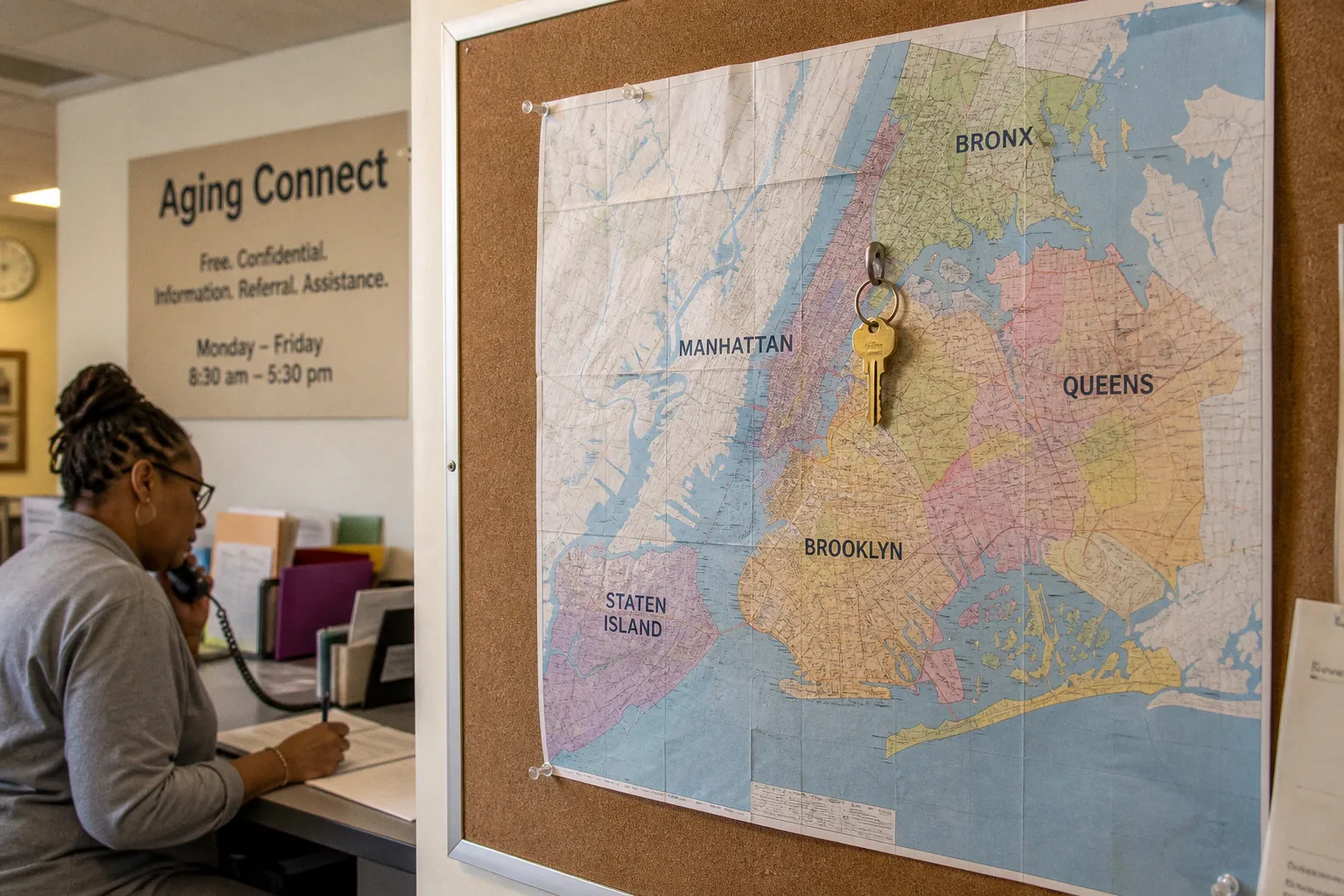
The network that connects residents to those centers — along with case management, home-delivered meals, legal assistance, caregiver support, transportation, and other services — is not organized around one simple citywide directory.
Instead, people usually encounter two overlapping layers: the Aging Connect contact center and the NY Connects program. One provides a citywide entry point; the other connects residents with locally administered long-term services and supports. Understanding how those layers fit together makes the difference between a broad search that produces a page of names and a targeted search that gives a resident somewhere useful to call.
This is the practical map behind the main NYC senior services directory options: how to search by location, when to use a borough provider, what the program categories actually mean, and where the directory stops being a substitute for a conversation with a trained navigator.
The Architecture of NYC Aging: Aging Connect and NY Connects
New York City's senior services directory is best understood as two intersecting systems rather than a single unified database. They have different administrative structures, different geographic frames, and somewhat different entry points.
Aging Connect is the citywide information and referral contact center administered by the New York City Department for the Aging, or NYC Aging. It launched on February 18, 2020, and serves as a general starting point for residents, families, and caregivers trying to identify an appropriate service.
The number is 212-AGING-NYC (212-244-6469). Operating hours are Monday through Friday, from 8:30 a.m. to 5:30 p.m. Outside those hours, residents are directed to call 311.
Aging Connect is useful when the problem has not yet been neatly classified. A caller may know that an older relative is no longer managing safely at home without knowing whether the next step is home care, case management, meals, benefits counseling, adult day services, or another form of support. The central intake route can help translate a general concern into a service category and a local point of contact.
NY Connects is a statewide program established in 2006 by the New York State Office for the Aging. It provides free, unbiased information about long-term services and supports. In New York City, NYC Aging administers the program locally through contracted organizations serving individual boroughs.
NY Connects is not restricted to older adults. It also serves children and adults of all ages with disabilities. That broader eligibility matters when a household is looking for services for more than one person, or when an older adult's needs overlap with disability-related supports.
The statewide phone number is 800-342-9871.
The two systems overlap, but they are not interchangeable in every situation:
| Feature | Aging Connect | NY Connects |
|---|---|---|
| Geographic frame | New York City | New York State, with local NYC delivery |
| Primary role | Citywide information and referral | Long-term services and supports navigation |
| Local structure | Central city contact center | Contracted borough providers |
| Typical starting point | A general or unclear service question | A defined need requiring local navigation |
| Eligibility frame | Services connected to NYC Aging | Older adults and people of all ages with disabilities |
A resident searching for home care in Sunset Park might begin with Aging Connect's central intake or contact Brooklyn's NY Connects provider directly. The service category may be similar, but the route into the system is different. The citywide line offers a broad entry point; the borough provider represents the local delivery layer.
New York City's senior services directory is not one database. It is a set of connected entry points, and the most useful route depends on whether the need is still unclear or already tied to a specific borough and service category.
The distinction also helps prevent a common search error: treating a provider listing as proof that the organization can immediately take a new client. A directory can identify an organization and describe its program. It does not, by itself, answer every operational question about eligibility, scheduling, language access, documentation, or current intake procedures. Those questions still belong in a phone conversation.
Mastering the NYC Aging Service Finder: Precision Search Tactics
The online NYC Aging Service Finder is the closest thing to a searchable interface for the city's aging-services network. Hosted on NYC.gov, it allows users to search using an address, a distance radius, a borough, and a program type.
The tool is most useful when treated as a location-and-category finder, not as a ranking system. It can show which organizations are associated with a selected service and geographic area. It cannot make the decision about which option fits a person's health, finances, schedule, language, or eligibility.
Start with the address, not the organization name
The address field anchors the search to the older adult's actual location. That is more useful than beginning with a familiar agency name when the priority is proximity or local access.
The minimum distance setting is 0.5 miles. Start there when the older adult has limited mobility, does not drive, or is likely to rely on walking, a caregiver, or a short local trip. A small radius can also make the results easier to read. Instead of scanning every provider in a borough, the user sees the organizations closest to the address entered.
If the results are sparse, expand the search to 2 or 5 miles. A wider radius is particularly useful for specialized services, programs with limited geographic coverage, or households willing to travel for a particular type of support.
The distance is measured from the search location, but the most convenient listing is not always the most practical one. A provider a short distance away may be difficult to reach by public transportation, located in a building with access constraints, or available only during hours that do not work for the family. The map is a starting point for questions, not a final recommendation.
Use the borough filter deliberately
The borough filter allows a user to focus on the Bronx, Brooklyn, Manhattan, Queens, or Staten Island. It becomes useful when location boundaries matter more than straight-line distance.
For example, a resident may be willing to travel across a borough line for a specialized program, while another household may need services close to home because the older adult cannot manage a longer trip. Selecting a borough can also keep a broad search from returning an unwieldy mix of results across the city.
The right setting depends on the service:
- For an older adult center, meals, or routine social programming, a nearby location may be the priority.
- For legal services or benefits counseling, a somewhat wider search may be manageable.
- For mental health, abuse prevention, or a service with fewer visible listings, a cross-borough search may identify additional places to contact.
- For home-based support, the service area and intake rules matter more than the office address alone.
Choose one program type at a time
The Service Finder organizes listings by program type. The categories are not interchangeable labels; they point to different kinds of assistance and different provider networks.
1. Case Management — assessment, care planning, coordination, and ongoing assistance for people whose needs involve several services or agencies.
2. Home Care — help in the home with activities of daily living and related household tasks.
3. Home Delivered Meals — prepared meals delivered to eligible homebound older adults according to the program's schedule and requirements.
4. Legal Services — assistance with issues such as benefits, housing, elder law, and advance directives.
5. Caregiver Support — respite resources, counseling, education, and other assistance for unpaid family caregivers.
6. Naturally Occurring Retirement Communities (NORCs) — services connected to apartment buildings or neighborhoods with a significant concentration of older residents.
7. Transportation — transportation assistance that may include paratransit, medical transportation, or subsidized ride programs.
8. Abuse Prevention — screening, intervention, education, and other services related to elder abuse and safety.
9. Geriatric Mental Health — counseling, psychiatric care, and related behavioral health services intended for older adults.
The category names are a vocabulary for searching, but they do not fully describe what a particular provider does. "Case management," for instance, may involve assessment and referrals rather than direct delivery of every service discussed. "Home care" may lead to an organization that explains options or coordinates support rather than acting as the aide's employer. The listing should be read as an invitation to verify the program's role.
A useful sequence is simple:
1. Enter the older adult's residential address.
2. Set the distance to 0.5 miles.
3. Select one program type.
4. Record the first several results and their contact details.
5. Repeat the search for any related categories.
6. Call the relevant organizations to ask about eligibility, intake, language access, and next steps.
Searching several categories at the same address can reveal how the local network is assembled. A household might compare case management with home-delivered meals, or caregiver support with transportation, rather than assuming that one provider will cover every need.
| Search parameter | Narrow starting point | Broader follow-up |
|---|---|---|
| Distance | 0.5 miles | 2–5 miles |
| Borough | Current borough | Other boroughs, if travel is realistic |
| Program type | One category | Related categories searched separately |
| Results review | Nearby organizations | Additional providers and service descriptions |
The Finder does not rank providers by quality, capacity, or waitlist status. Its results are proximity- and category-based. Questions about eligibility, current intake, language-specific services, documentation, or whether a program fits a particular situation require direct contact with the listed organization, Aging Connect, or the relevant borough NY Connects provider.
That limitation is not a defect in the search tool. It is simply the boundary between a directory and an intake conversation. The directory tells a resident where to begin; the call establishes what happens next.
Borough-Specific Support: Mapping Local NY Connects Providers
NY Connects services in New York City are delivered through borough-based organizations rather than a single local office serving every neighborhood. These providers are the local navigation layer beneath the citywide and statewide program structures.
The borough assignments and phone numbers are:
| Borough | NY Connects provider | Phone |
|---|---|---|
| Bronx | Neighborhood SHOPP | 347-862-5200 |
| Brooklyn | JASA | 718-671-6200 |
| Manhattan | New York Foundation for Senior Citizens | 212-966-9852 |
| Queens | Selfhelp Community Services | 718-559-4400 |
| Staten Island | Community Agency for Senior Citizens | 718-489-3954 |
A borough provider can be a useful contact when the household already knows what kind of help it is seeking and needs assistance understanding the local service landscape. Staff may explain how a long-term services and supports question relates to case management, home care, adult day programs, benefits, or other available pathways.
The borough route also gives the caller a way to keep the geography clear. A family member living in another state may be arranging help for a parent in Queens. In that situation, the older adult's borough — not the caregiver's location — is the relevant starting point for local services.
At the same time, the provider list should not be interpreted too rigidly. A borough assignment does not mean that every question must begin with a local number. Aging Connect remains the appropriate citywide starting point when the caller is unsure which category applies, does not know which borough program to contact, or needs general information.
Choosing between Aging Connect and a borough provider
The decision can be framed around the clarity of the request:
- Use Aging Connect when the situation is broad, urgent but not an emergency, or difficult to classify.
- Use NY Connects locally when the older adult's borough is known and the question concerns long-term services and supports.
- Use the Service Finder first when the goal is to identify nearby organizations in a specific category.
- Contact the listed provider when the search produces a plausible match and the household needs to confirm the program's role or intake process.
A caller should have a few basic details available: the older adult's neighborhood or address, the kind of assistance being sought, mobility or transportation constraints, preferred language, and whether the request concerns the older adult directly or a caregiver. Not every question requires all of that information, but having it ready makes the conversation more concrete.
It is also worth distinguishing between the organization's listed service and the service the household actually needs. A family may search for "home care" when the immediate problem is medication management, a fall-risk assessment, or help applying for benefits. A navigator may redirect the request to another category. That redirection is part of the process, not evidence that the original search was wasted.
The borough map matters because the directory is not only a list of organizations. It is also a routing system: citywide intake, statewide support infrastructure, and local providers meet at different points.
Beyond the Directory: Accessing Older Adult Centers and Specialized Care
The Service Finder and NY Connects cover the referral and navigation layer. The physical network of more than 300 older adult centers and affiliated sites provides another kind of access: a place where an older adult can receive meals, join activities, ask questions, and connect with social-service staff in person.
Membership is free, and older adult centers are open to eligible older adults. Services vary by location, but centers may provide meals, social and recreational activities, benefits screening, health programming, and referrals. The practical difference between a center and an online listing is that the center can become part of the older adult's routine. A person who is reluctant to describe a complicated situation over the phone may be more comfortable raising the issue with staff during a regular visit.
Before going, it is sensible to confirm the center's schedule, meal arrangements, accessibility, and any registration requirements for a particular activity. "Free" does not mean that every program operates in exactly the same way. Some services may use sign-up procedures or have their own eligibility rules.
NORCs are a distinct model
Naturally Occurring Retirement Communities, or NORCs, are not simply another name for a senior center. They connect supportive services to apartment buildings or defined neighborhoods where many residents are older adults.
The geographic design is the important point. A NORC may be highly relevant to someone who lives in the participating building or neighborhood and irrelevant to a resident several blocks away. The services can include social work, benefits counseling, health-related programming, and other forms of support, but the exact mix depends on the local program.
When a search returns a NORC, the caller should ask whether the building, address, or block is included in the program's catchment area, what services are available on site versus by referral, and whether there is any cost or membership requirement attached to specific activities. A NORC listing in the Service Finder describes a program category, not a guarantee that a given address is served.
Specialized care pathways outside the standard categories
Aging services directories generally organize their listings around a defined set of categories. Several useful supports sit near — but not always inside — those categories.
- Adult day programs offer structured daytime programming, meals, supervision, and socialization for older adults who cannot be left alone during the day. They can be a substitute for some hours of in-home care and a way to relieve family caregivers.
- Memory care and dementia-specific supports are sometimes delivered through specialized case management, geriatric mental health providers, or dedicated programs at particular centers. A household asking about cognitive changes may need to call more than one category to assemble a workable plan.
- Benefits and entitlements counseling often lives inside legal services or case management, but specific providers — including some federally funded aging services and HIICAP partners — focus on Medicare, Medicaid, and supplemental income programs.
- Housing-related help, including applications for senior housing, rent assistance for older adults, and eviction prevention, is frequently delivered through a mix of legal services, case management, and borough-specific senior housing programs.
These pathways rarely appear as their own filter in the Service Finder. They are usually assembled through a conversation with a navigator, a benefits counselor, or a social worker at an older adult center.
Navigating After-Hours and Emergency Resource Gaps
A directory is built for daytime use. Most of the phone lines described above operate during standard business hours, and the Service Finder is an online tool rather than a 24-hour service. That creates predictable gaps for households facing an evening or weekend situation.
For concerns that are not life-threatening but cannot wait for the next business day, the first call is 311. The 311 system can route the caller to recorded information about aging services and, where appropriate, escalate a request to the relevant city agency during off-hours.
For urgent medical, mental health, or safety concerns, the directory is not the right starting point. The appropriate contacts are 911 for emergencies, 988 for mental health crises, and the NYC Well line for behavioral health support available around the clock.
Several specific situations deserve a different route:
- Suspected elder abuse should be reported to Adult Protective Services through 311 or the New York State Adult Protective Services hotline. A directory listing can suggest an abuse-prevention program for prevention and education, but it is not a substitute for an active report.
- Wandering or a missing older adult with cognitive impairment is a 911 situation, not a directory search. After the immediate response, the family can use the directory to arrange follow-up supports.
- Sudden loss of a caregiver, including a hospitalization, often requires rapid assembly of home care, meals, and case management. The fastest route is usually to call the older adult's borough NY Connects provider and explain that the situation is time-sensitive.
- A utilities shutoff, eviction notice, or benefits interruption can be addressed through legal services providers listed in the Service Finder, but a 311 call may also help route the request to the appropriate city agency during off-hours.
The directory's role in these moments is to prepare. A household that has already mapped the local older adult center, identified the borough NY Connects provider, and saved the relevant phone numbers can move faster when something unexpected happens. That preparation is one of the most practical reasons to work through the directory before a crisis, rather than during one.
Putting the Map to Work
The city's senior services network is dense, locally administered, and organized through overlapping intake points. The directory will not make a decision for a household, and it should not be read as a guarantee of immediate service. What it does, when used carefully, is replace a vague search with a short list of people who can answer specific questions.
A workable routine looks like this. Start with Aging Connect or the NYC Aging Service Finder to identify the relevant program type. Use the borough filter and a narrow distance setting to surface nearby providers. Cross-reference the listing with the borough's NY Connects provider for a second opinion on the service landscape. Save the older adult center closest to home as a low-pressure point of contact. Keep the after-hours numbers visible for the moments when the directory cannot help.
The difference between a frustrating search and a useful one is rarely the tool. It is the sequence of calls and the patience to treat the directory as the start of a conversation, not the end of one.